. brightmeadowknits: AYAB
Showing posts with label AYAB. Show all posts

Friday, June 15, 2018

Michigan Fiber Festival Workshops

I will be teaching three workshops at Michigan Fiber Festival this year.

The first one is sold out.  It is an introduction to Machine Knitting - Machine Knitting 101, and is a full-day class.

Machine Knitting 101 class in Ray Township, MI in May 2018 (Image credit: Cora Foley)
The other workshops are 3-hour workshops. There is still time to register for these, and the cost goes up after July 1, so the time is now.   Click the links to register on the Michigan Fiber Festival Web site.   Check out other workshops on other fiber topics while you are there!

320 - Machine Knitting With Handspun Friday AM By Brenda Fish

 Description: Have you avoided using handspun with your knitting machine because you were told that knitting machines need fine, evenly spun or acrylic yarns to work? This seminar will demonstrate various creative ways to use handspun yarn with a mid-gauge or bulky knitting machine, using techniques such as hand-manipulation, knit-weave, and surface embellishments like embroidery, couching, or felting.
Skill Level: Intermediate
What Students Need to Bring: Small or remnant balls of handspun yarns for sampling and their knitting machine (optional).
Material Fee $5.00. Covers background yarn for samples.


330 - Hacking The Brother Kh910 Machine Knitting With AYAB Friday PM By Brenda Fish

Description: This lecture-style class surveys status and evolution of the latest developments in open-source hardware and software that use home knitting machines from the 1970’s as a foundation. The second half of the class will be a demonstration of replacing the original electronics in a KH-910 with an AYAB (All Yarns Are Beautiful) circuit board and connection to a laptop. Instructor will demonstrate generating a stitch pattern and knitting out a 2-color photo.
Skill Level: All levels
What Students Need to Bring: Note taking materials
Material Fee: None lecture class.  

Llama wall hanging downloaded to KH-910 using AYAB (Image credit: Cora Foley)


Saturday, May 5, 2018

AYAB and Penguicon

There is nothing like a deadline to get you moving.  Especially one where it is public if you miss it.    I've just completed my #Penguicon presentation.  I am happy to report that it seemed to be well-received by most attendees.

I had two sessions:  The first was a background/prerequisite course "Introduction to machine knitting" where I discussed the history of knitting and machine knitting, the technology,  and the  types of fabrics that can be produced.  I passed around acrylic, wool and wool/rayon swatches that exemplified the types of stitches that can be produced on a knitting machine.  Tuck, fairisle, slip stitch (mosaic) and showed slides of various types of patterning mechanisms, internal and external storage on the machines.

The second  session was a discussion of the AYAB knitting machine hack for KH-910, KH-930, and KH-940 model machines.  I demonstrated the AYAB software and spent a lot of time discussing the problems associated with creating a two-color input pixel-per-stitch input file.  I mentioned that Photoshop, GIMP, and Paint.net had been suggested as editing tools. I used Cochenille's Stitch Painter, Paint, and IMG2track as editors.   We created Word Art in Microsoft word and used the resulting image to knit a word "Penguicon"
I showed pieces I knit prior to the conference:


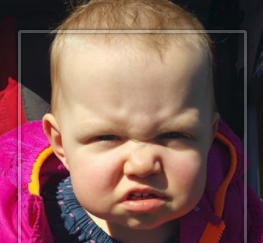
I showed the samples that I had created before the session: a random llama, a cute baby photo, and a cross-stitch design I copied from Pinterest.


There was a positive response to the punchcard designs that I showed, especially when I mentioned the usefulness of a knitting machine that does not require electricity in the event of a Zombie apocalypse. Side note: There was a car in the front of the hotel that was prepped for a Zombie apocalypse, unbeknownst to me.

I showed a design that I intend to re-knit, a Rowan design that I punched manually, and compared it to the punchcards I used to knit it.  Some of the attendees were taking pictures, I hope they hash tag with #Penguicon or #AYAB

Monday, April 16, 2018

Follow up on Spring Fling

  1.  At Spring Fling, I was surprised to learn from Charlene Shafer about CB-2, an electronics package to replace the Control Box that was original equipment on the Brother KH-970.   I need to learn more about this.   Evidently the original electronics are failing, and of course there is no support from Brother any more.  This new product connects to the PC to allow DAK (Design-A-Knit)  to send the stitch pattern and garment outlines to the knitting machine.  I will ask more questions at the DAK seminar which Charlene is teaching in Monroe at the end of the month.  I don't use the KH-970 all the time, but it is my machine of choice. 
  2. I followed up today with Cochenille to get my software sorted out. It was kind of embarrassing to admit that since I purchased this software suite originally so long ago, it came on 3.5" floppy diskettes.  I know I have them somewhere, but since I have moved four times since the original purchase, and have upgraded PC's several times, I have absolutely no idea where the originals are.   Stephanie responded very quickly, and she was very helpful.  After verifying that I had previously purchased the software, she provided links to download the installation package in order for me to migrate the software to my new PC.  I did not follow the directions exactly in the correct order.  I left the HASP key in the USB port while trying to install the driver, so I had to stumble through a couple of reboots.  It was a good thing, because in the middle of the reboots I finally got mad at the annoying virtual keyboard which has been popping up frequently, at reboot and whenever certain applications loaded. I guess Windows assumes I have a tablet PC?  So I finally did some research on how to fix it.  It is amazing how long I will put up with little annoyances.  There was an option turned on in the control panel under Ease of Access that I had not previously noticed.  Turning it off resulted in the virtual keyboard disappearing! Hurray! 
Random design in Stitch Painter. exported as .png pixel to stitch
Now my Garment Designer is installed on my newest PC and working, and includes the Style Sets 1 and 2.  And, Stitch Painter 3 is now working on my PC.  (I have not yet installed the Beading Module)  I tested the theory of creating and exporting a random stitch design created in Stitch Painter as a .png file.  I then opened it up in AYAB and it seemed to work exactly as expected.  I am delirious with happiness, because I did not want to learn to use Gimp or Paint.net  or other new-to-me graphics software that the open source crowd recommended.   I had tried using old version of Microsoft Image Composer and I was NOT happy with the ease-of-use.  But this took approximately 30 seconds to export and import! 
.png file export loaded into AYAB


Original cropped photo
I had also tried IMG2TRK and while it does a great job converting a color photo to grayscale, and is very easy to use, I was wondering how easy it would be to do a fairisle design with a 12-stitch repeat.  (I don't even know where to start with that!) 
IMG2TRK conversion


 So I can use all the wonderful features of Stitch painter like automatic repeating and brushes to design my fairisle, tuck, lace or other patterns using automated features of Stitch Painter.  


IMG2TRK output loaded into AYAB, should be ready to knit. 


So, perhaps I can use the AYAB hack if my KH-970 breaks in the future?  

Questions to follow up on: 

For Victoria Pawlick or Adrienne Hunter - has anyone engineered the AYAB board for the KH-970? 
For Charlene Shafer - what exactly is happening with the KH-970 when the CB-1 breaks?  How much does the CB-2 cost? Who makes it? Are they basing it on the open source AYAB hack? 

To-do's for next two weeks: 

1. Upgrade GD and SP3 onto laptop (I don't have a cable long enough to reach the KH-910 knitting machine, which is the one I where I installed AYAB,  from my desktop)
2. Hook up and knit a design. 
3. Finish presentation materials for Penguicon on history of knitting technology and AYAB hack
4. Connect Video Camera, laptop, projector
5. Practice! 

When Penguicon is over, I want to think about Sponge Bars.  If we can send a man to the moon, why can't we create a needle presser bar that doesn't rot out in a year? 


© Bright Meadow Knits Blog · Privacy Policy · Terms of Use
© Bright Meadow Bicycle Blog · Privacy Policy · Terms of Use